Stop wiring nodes.
Start writing markdown.
n8n made automation visual. FlowKoi makes it invisible. Describe what you want in plain English — Claude figures out the nodes, the connections, and the error handling.
Get Started Free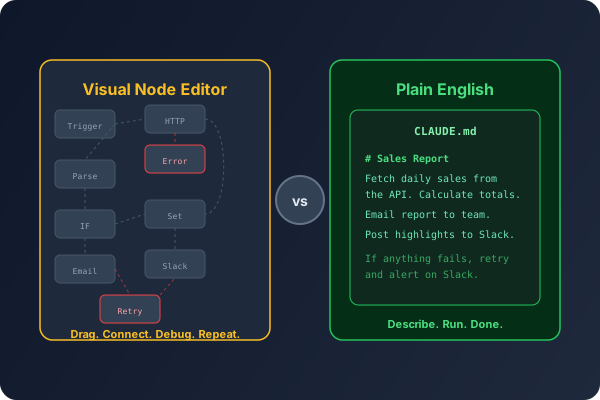
A different way to think about automation
Traditional tools make you think in nodes and connections. FlowKoi lets you think in outcomes.
n8n: Visual node canvas
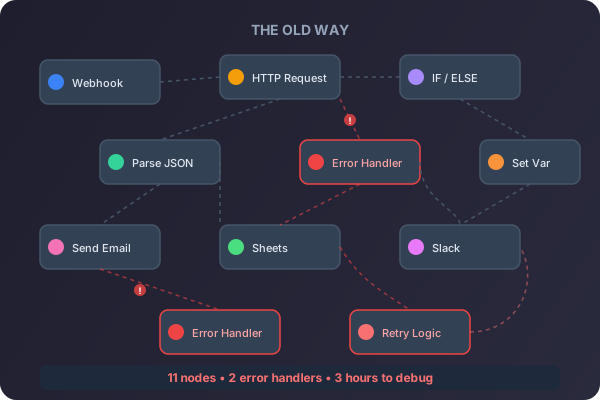
Drag nodes. Wire connections. Debug spaghetti.
FlowKoi: Plain English
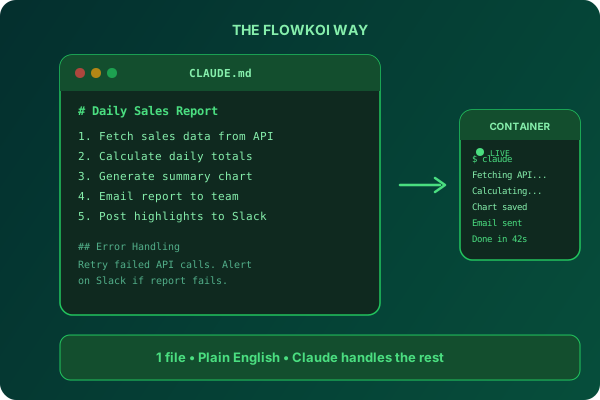
Describe it. Run it. Done.
Feature-by-feature comparison
See exactly how FlowKoi stacks up against n8n.
| Feature | FlowKoi | n8n |
|---|---|---|
| Workflow Design | ||
| How you build | Plain English in CLAUDE.md | Drag-and-drop node editor |
| Learning curve | Write what you want in markdown | Learn node types, connections, expressions |
| Error handling | Describe it naturally | Wire error paths at every junction |
| Debugging | Real-time terminal — watch Claude work | Step-through execution logs |
| AI Integration | ||
| AI approach | AI-native — Claude is the engine | AI is one more node to wire |
| AI flexibility | Claude handles any logic you describe | Fixed AI node inputs/outputs |
| AI cost | Use your own Claude subscription | Per-execution or self-hosted LLM |
| Available AI nodes | Not needed — Claude does everything | 70+ specialized AI nodes |
| Infrastructure | ||
| Hosting | Fully managed containers | Self-host or pay for n8n Cloud |
| Maintenance | Zero — we handle everything | Updates, backups, scaling (self-hosted) |
| Execution environment | Full Docker container with any tools | n8n runtime with npm packages |
| Open source | No | Yes (self-hosted version) |
| Complexity at Scale | ||
| 10-step workflow | Same CLAUDE.md, same simplicity | 10+ nodes, dozens of connections |
| 50-step workflow | Still one file | Unmanageable spaghetti diagram |
| Changing logic | Edit the markdown description | Rewire nodes and connections |
| Code review | Read the CLAUDE.md in any PR | Export JSON, diff node configs |
What this workload actually costs
A team running 20 workflows daily for a month
n8n Cloud
$24
/month
2,500 executions included. Heavy usage? Self-host and manage your own infrastructure.
FlowKoi
~600 min
of container runtime
20 flows a day at roughly a minute each. You're billed for those minutes, not for the 600 executions.
Get pricing for your workload →"n8n added AI as one more node. FlowKoi made AI the entire engine."
Switching from n8n is easy
No migration tools needed. Just describe what your workflow does.
1. Describe
Write what your n8n workflow does in plain English in a CLAUDE.md file.
2. Run
Claude figures out the logic, error handling, and execution. Watch it work in the live terminal.
3. Schedule
Set a cron schedule and walk away. Your workflow runs automatically, every time.
No credit card required. Get pricing when you're ready to scale.
Ready to ditch your per-task billing?

Join developers who've replaced Zapier, n8n, and OpenClaw with a single platform. Pricing is quoted to the runtime you actually use — no credit card required to start.